Install FlexStream IPTV on Any Device
Get your FlexStream IPTV subscription running in minutes with our step-by-step guide. Compatible with every major streaming device in the USA — no technician required, no complicated software.
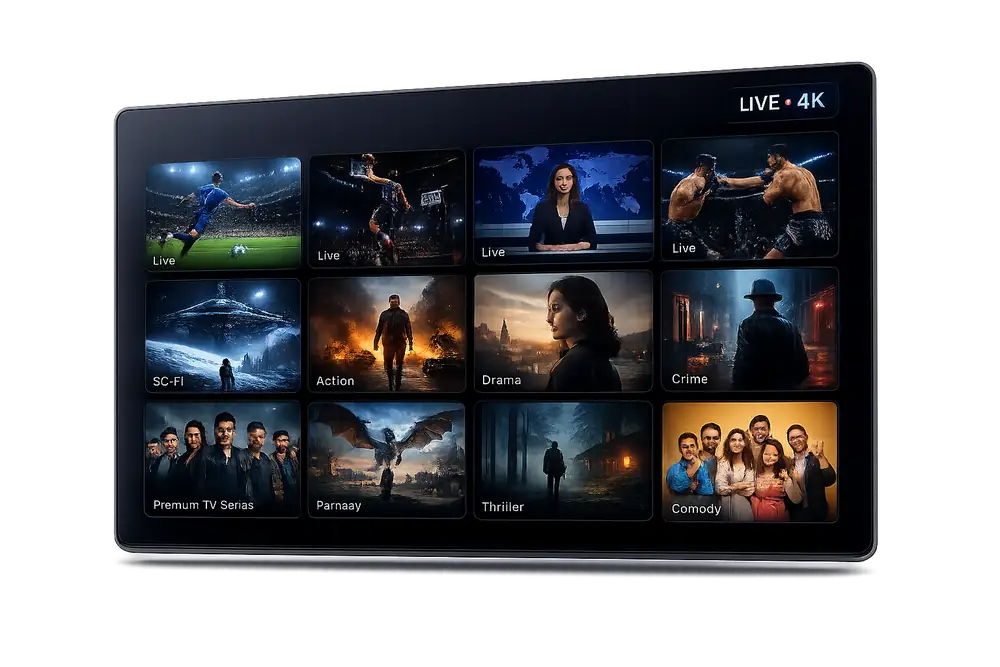
FlexStream IPTV Works on Every Device You Own
Whether you use a Fire TV Stick, Apple TV, Android box, Smart TV, or smartphone, FlexStream IPTV installs cleanly on any screen in your home. One IPTV subscription covers them all.










How to Install FlexStream IPTV in 3 Simple Steps
Choose Your Plan and Subscribe
Select the FlexStream IPTV subscription plan that fits your household, complete checkout securely, and receive your login credentials by email within minutes. No hidden fees, no contracts.
Download the App on Your Device
Open the app store on your Fire TV Stick, Android device, Apple TV, Smart TV, or any other supported screen. Search for your preferred IPTV player — such as TiviMate, IPTV Smarters Pro, or GSE Smart IPTV — and install it for free.
Enter Your FlexStream Credentials and Stream
Open the app, enter the M3U URL or Xtream Codes login details sent to your email, and hit connect. Your full library of 35,500+ live channels and 179,000+ VOD titles loads immediately — ready to stream in 4K.
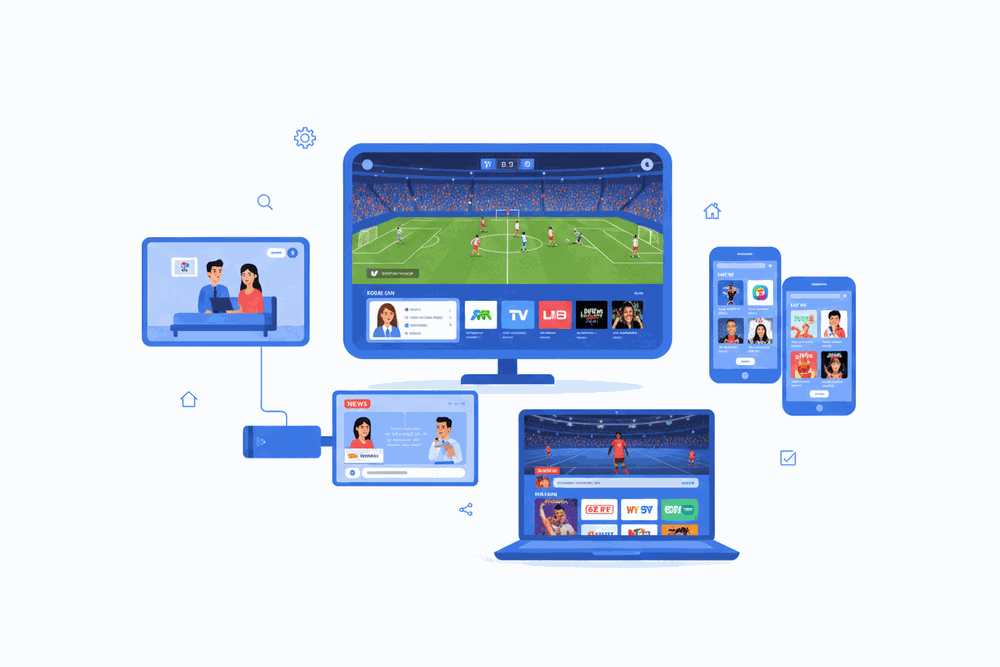
Every Screen. One Subscription.
FlexStream IPTV is engineered to deliver a smooth IPTV USA experience across the widest range of hardware available today. From budget Android sticks to premium 4K Smart TVs, the setup process is identical — fast, clean, and permanent.
Watch on your Smart TV in the living room, your phone on the train, and your laptop at work — all from a single subscription, perfectly in sync.
- No extra hardware required
- Simultaneous streams on multi-device plans
- Same 4K quality on every screen
FlexStream IPTV Installation Guide: Everything You Need to Know
What Is FlexStream IPTV and Why USA Viewers Are Switching
FlexStream IPTV is a premium IPTV subscription service delivering over 35,500 live channels and 179,000 on-demand titles directly to your screen over your existing internet connection. Viewers across the USA are replacing bloated cable bundles with FlexStream IPTV because it works on the devices they already own, requires zero satellite dishes, and streams in full 4K where available.
Whether you are in New York, Los Angeles, Chicago, or a rural zip code, FlexStream IPTV routes your stream through a high-availability server infrastructure optimized for North American broadband conditions. That means low-latency playback of NBC, CBS, ESPN, CNN, Fox News, and hundreds of regional sports networks without the buffering that plagues cheaper IPTV providers.
With a 4.8-star rating backed by over 30,000 verified customer reviews, FlexStream IPTV has earned a reputation as the most reliable IPTV subscription available in the USA today. Setup takes under five minutes on most devices, and 24/7 live support is standing by if you ever need help.
Supported Devices for FlexStream IPTV Installation
FlexStream IPTV is engineered to run on virtually every screen in your home. Fire TV Stick, Fire TV Cube, Android TV boxes, NVIDIA SHIELD, Apple TV, Roku, Samsung Smart TV, LG webOS televisions, and standard Android or iOS smartphones all support the service through either a native app or a compatible third-party player such as TiviMate, IPTV Smarters Pro, or GSE Smart IPTV.
On desktop and laptop computers, USA subscribers can stream through VLC Media Player or any M3U-compatible application on Windows, macOS, or Linux. Smart TV owners who prefer a browser-based experience can also access the web player directly without installing additional software.
Because FlexStream IPTV delivers streams via M3U playlist and Xtream Codes API, one subscription can be activated on multiple devices simultaneously depending on your chosen plan. This multi-screen capability makes FlexStream IPTV the ideal IPTV subscription for households that want 4K content in the living room and standard HD on a bedroom tablet at the same time.
Step-by-Step: Installing FlexStream IPTV on Amazon Fire TV Stick
Installing FlexStream IPTV on a Fire TV Stick is the most popular setup method among USA customers. Begin by navigating to Settings, then My Fire TV, and enabling Apps from Unknown Sources. Next, open the Downloader app — available free in the Amazon Appstore — and enter the direct APK link provided in your FlexStream IPTV welcome email to sideload IPTV Smarters Pro or TiviMate.
Once the chosen player is installed, open it and select Add Playlist or Xtream Codes depending on the player. Enter the server URL, your username, and your password exactly as shown in the credentials email FlexStream IPTV sends within minutes of purchase. The app will pull your full channel list of 35,500+ live streams and organize them automatically by category, including sports, news, entertainment, and international packages.
For Fire TV Stick 4K and Fire TV Stick 4K Max owners, make sure your internet connection meets the recommended 25 Mbps minimum for IPTV 4K streams. FlexStream IPTV marks all 4K-eligible channels with a visible badge inside the player so you always know when a true 4K feed is available.
Installing FlexStream IPTV on Android and Android TV Boxes
Android devices offer the most flexible FlexStream IPTV installation experience because they accept APK files natively. On a standard Android phone or tablet, download IPTV Smarters Pro from the Google Play Store, then open the app and choose Login with Xtream Codes API. Input the credentials from your FlexStream IPTV confirmation email and tap Add User to begin streaming within seconds.
Android TV box users running devices such as the NVIDIA SHIELD TV, Formuler Z10, or any Amlogic-powered box follow the same process. The added advantage of Android TV boxes is hardware-accelerated decoding, which ensures that IPTV 4K streams from FlexStream IPTV play back at full resolution without dropping frames even on extended viewing sessions.
For users who prefer TiviMate on Android TV, the pairing process is equally straightforward. Add a new playlist in TiviMate, choose Xtream Codes, and paste your FlexStream IPTV server address along with your login details. TiviMate will organize your 35,500+ channels into a cable-style electronic program guide that refreshes automatically every 24 hours.
How to Set Up FlexStream IPTV on Apple TV, iPhone, and iPad
Apple device users in the USA can access FlexStream IPTV through GSE Smart IPTV or IPTV Smarters Pro, both of which are available on the App Store. After downloading your preferred player, open the app, navigate to Remote Playlists or Xtream Codes Login, and enter the server URL and credentials delivered to your inbox when your FlexStream IPTV subscription activates.
iPhone and iPad users benefit from AirPlay support, meaning you can mirror an IPTV 4K stream from FlexStream IPTV directly to any AirPlay 2-compatible television. This is a convenient secondary viewing option for households that already have a primary setup on a Fire TV Stick or Android TV box but want flexibility on portable Apple devices.
Apple TV 4K users should set their streaming resolution to 4K HDR inside the Settings menu to take full advantage of FlexStream IPTV 4K channels. Ensure your router supports a 5 GHz Wi-Fi band or connect via Ethernet for the most stable IPTV subscription experience on Apple hardware.
Optimizing Your Network for the Best FlexStream IPTV Experience
A reliable internet connection is the single most important factor in delivering smooth FlexStream IPTV streams. For standard HD playback, a minimum download speed of 10 Mbps per stream is recommended. For IPTV 4K content, FlexStream IPTV engineers recommend at least 25 Mbps dedicated to the streaming device, separate from other household traffic.
Wired Ethernet connections to your streaming device will always outperform Wi-Fi for IPTV subscription services because they eliminate wireless interference and reduce packet loss. If Ethernet is not practical, position your router within close range of your streaming device and use the 5 GHz band rather than 2.4 GHz for significantly lower latency during live sports streams on CBS Sports Network, beIN Sports, or FS1.
USA subscribers on ISPs such as Comcast Xfinity, AT&T Fiber, Verizon Fios, Spectrum, and Cox have reported consistently excellent performance with FlexStream IPTV. If you experience occasional buffering, clear the cache of your media player, restart your router, and contact FlexStream IPTV live support — available around the clock — for a server-side connection check.
FlexStream IPTV Channel Lineup: What USA Subscribers Receive
FlexStream IPTV gives USA subscribers access to more than 35,500 live channels spanning every major content category. Top American broadcast networks including ABC, NBC, CBS, and Fox are included alongside leading cable channels such as ESPN, ESPN2, ESPN3, TNT, TBS, HBO, Showtime, Starz, AMC, FX, HGTV, Discovery, National Geographic, and Bravo.
Sports fans gain access to every NFL game-broadcast channel, NBA on TNT and ESPN, MLB on FS1 and MLB Network, NHL on ESPN and TNT, and college football and basketball across ABC, ESPN, and CBS Sports Network. International sports packages cover Premier League via Peacock feeds, La Liga, UEFA Champions League via CBS Sports Golazo, and Formula 1 on ESPN.
The 179,000-title VOD library included with every FlexStream IPTV subscription spans Hollywood blockbusters, independent films, full series box sets, and international content. New titles are added weekly, so your IPTV subscription remains fresh without any additional cost. All VOD content is organized by genre, release year, and IMDb rating inside supported players.
FlexStream IPTV Subscription Plans and Free Trial
FlexStream IPTV offers tiered subscription plans designed to match the needs of individual viewers, couples, and large households across the USA. Each plan includes the full 35,500+ channel lineup, the complete 179,000-title VOD library, 4K streams where available, and anti-freeze technology that automatically switches to a backup server if your primary connection degrades.
A free trial is available so you can verify compatibility with your device and internet connection before committing to a paid IPTV subscription. During the trial you receive access to the same server infrastructure and channel selection that paying subscribers use, giving you an accurate picture of real-world performance rather than a reduced demo environment.
Longer subscription terms offer the best value per month for USA households committed to cutting the cord. All FlexStream IPTV plans include unlimited customer support via live chat and WhatsApp, automatic EPG updates, and free reactivation assistance if you ever change devices. Upgrading or downgrading between plans can be done at any time through the customer portal without losing your existing connection credentials.
Why FlexStream IPTV Is the Top-Rated IPTV Subscription in the USA
FlexStream IPTV consistently earns a 4.8-star rating across more than 30,000 customer reviews because it prioritizes the two factors USA cord-cutters care about most: uptime and picture quality. The service runs on a redundant server network with 99.9 percent guaranteed uptime, ensuring that prime-time events on NBC or live playoff games on ESPN never drop at the critical moment.
Unlike generic IPTV providers that resell unstable third-party panel access, FlexStream IPTV manages its own encoding pipeline for IPTV 4K sources. This means streams are transcoded at the origin rather than re-streamed through multiple hops, resulting in lower latency and higher bitrate delivery to your Fire TV Stick, Android TV box, or Apple TV.
Customer support distinguishes FlexStream IPTV from every competitor in the USA market. A trained support agent — not a chatbot — responds to installation queries, credential issues, and technical troubleshooting within minutes via WhatsApp and live chat, seven days a week, every day of the year. That commitment to real human support is why FlexStream IPTV remains the first choice for IPTV subscription customers who demand both performance and accountability.
FlexStream IPTV Installation FAQ
Which devices can I install FlexStream IPTV on?
FlexStream IPTV works on Fire TV Stick, Android TV boxes, Smart TVs, Apple TV, Roku, Windows and Mac computers, iOS and Android smartphones, and MAG boxes. A single subscription covers multiple devices simultaneously depending on your plan.
How long does it take to get set up after subscribing?
Activation is instant. Once your payment is confirmed, your credentials are delivered to your email within minutes. From there, installing the app and entering your login typically takes under five minutes on any supported device.
Do I need a fast internet connection to run FlexStream IPTV in 4K?
For standard HD streams we recommend at least 10 Mbps. For our IPTV 4K content, a stable connection of 25 Mbps or higher will deliver the best experience with no buffering. Most modern broadband plans in the USA easily meet this requirement.
Which app should I use to load my FlexStream IPTV subscription?
We support IPTV Smarters Pro, TiviMate, GSE Smart IPTV, and the dedicated FlexStream app. Each app accepts your M3U URL or Xtream Codes credentials, which are included in your welcome email. Step-by-step guides for each app are available in our Help Center.
Can I install FlexStream IPTV on more than one device at the same time?
Yes. Depending on the subscription plan you choose, you can run FlexStream IPTV on two, four, or six screens simultaneously. All connections share access to 35,500+ live channels and 179,000+ VOD titles under a single IPTV subscription.
What do I do if I have trouble installing or the stream is not loading?
Our 24/7 support team is available via live chat and WhatsApp to walk you through every step. Common fixes include clearing the app cache, verifying your M3U URL was copied correctly, and restarting your router. Most issues are resolved within minutes.
Start Watching on Every Screen in Minutes
Your FlexStream IPTV subscription unlocks 35,500+ live channels, 179,000+ on-demand titles, and crystal-clear IPTV 4K streams the moment you activate. Setup takes less than five minutes on any device.